

Description
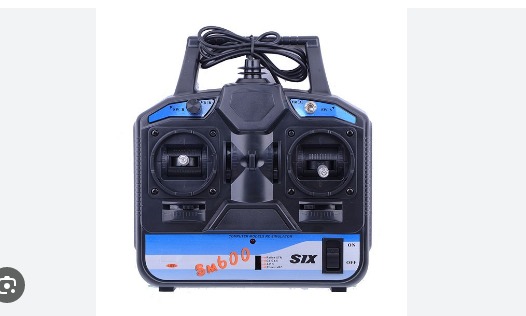
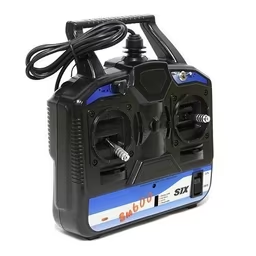
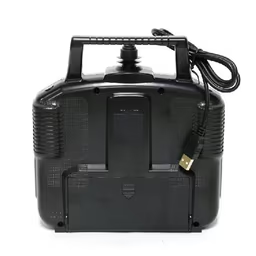
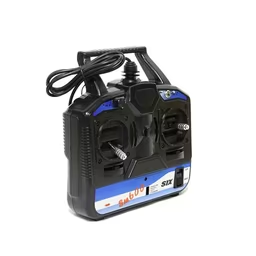
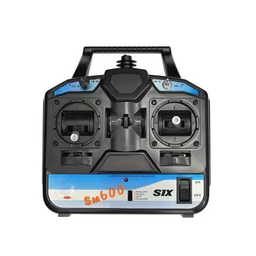
The FlySky FS-SM600 6CH USB Simulator Remote is designed to provide a realistic RC flying experience for beginners and hobbyists practicing with flight simulator software. A transmitter is one of the most important components in drone flying, as it wirelessly sends commands to a receiver installed in an aircraft or multirotor.
The FS-SM600 makes it easy to connect a realistic radio controller directly to your computer through USB and begin simulator training without requiring an external power source. The package includes SuperSimX simulator software and supports popular simulator platforms including AeroFly, PhoenixRC 2.5, RealFlight G3.5, Reflex XTR, and RealFlight G4.
The simulator offers various RC model types including helicopters, airplanes, and gliders. Its realistic control behavior and flight physics help beginners improve flying skills, build confidence, and practice safely before operating real-world RC aircraft or drones.
FEATURES
- 6-channel USB RC simulator controller
- Plug-and-play operation with no external power source required
- Includes SuperSimX simulator software
- Compatible with AeroFly simulator
- Compatible with PhoenixRC 2.5
- Compatible with RealFlight G3.5 and G4
- Compatible with Reflex XTR
- Supports helicopters, airplanes, and glider simulation
- Realistic control feel and flight behavior
- Helps beginners improve flying skills safely
- Works with Windows 10, Windows 8, Windows 7, Vista and XP (32-bit and 64-bit)
- Supported simulators: Reflex XTR, G3–G4.5, APD, PhoenixRC
Steps to Install and Connect the Simulator:
[Note: This controller includes its own attached USB cable, so there is no need to purchase any additional third-party cable.]
- Before connecting and turning on the controller, set the 4-position switch beside the front power switch to Reflex XTR.
- Connect the controller to your computer through USB and switch it on.
- Ensure that your computer detects the device under Device Manager. If not detected, ensure all drivers are properly installed and updated, including controller drivers.
- Once confirmed, launch the simulator software and go to:
Settings → Choose New Controller
Follow the on-screen prompts to complete setup and calibration.
Note: A 1.5% dead zone is recommended for this controller. This option can be configured during the final stage of the calibration process.
Now you’re ready to fly!
Package Includes:
1 × FS-SM600 6CH USB Powered Controller with Attached USB Cable

Reviews
There are no reviews yet.